Building an AI Circuit Engineer: The “Stevia” Chronicles ⚡️
So, I decided to replace myself with AI. Or at least, the boring 80% of my job as an electronics engineer.
I’m building an AI agent that doesn’t just “chat” about circuits. It actually designs them, simulates them in SPICE, fails, gets annoyed, and tries again until it works.
Here is the “Day 0” log of getting the infrastructure live on Ubuntu 24.04. 🛠️
The Mission: Beyond the Chatbox 🧠
Most people use AI to write emails. I want mine to build a Joule Thief circuit that works down to a 0.5V input (like an extremely dead AA battery).
OpenClaw is a bit too chaotic for this. It might hallucinate a transistor that doesn’t exist or spend my life savings browsing Wikipedia.
The solution? LangGraph. It’s like a factory assembly line for AI. More predictable = good! It follows a strict “Design → Simulate → Analyze” loop. 🔄
Step 1: The “Brain Surgery” (Python & LangGraph)
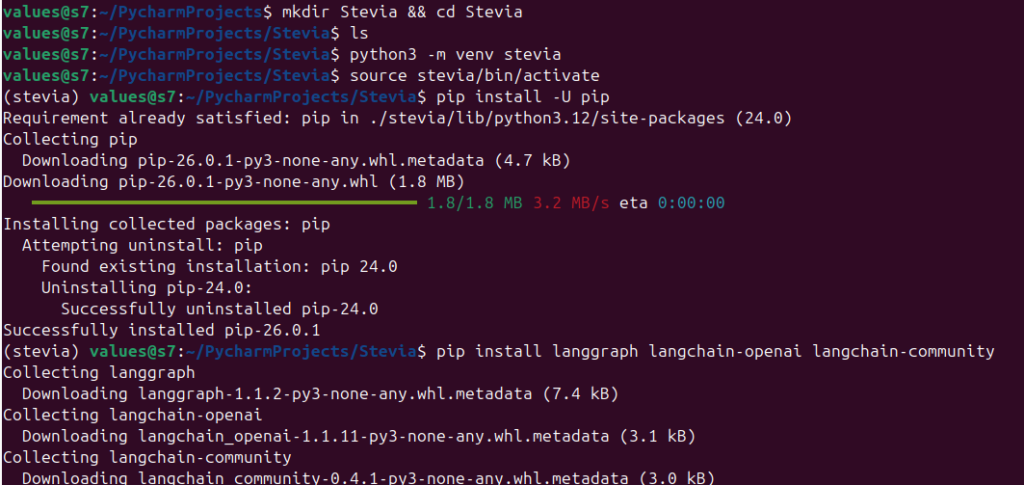
First, we needed a clean workspace. No one likes a messy dependency grave.
I set up a dedicated virtual environment and pulled in the heavy hitters:
AI usually has the memory of a goldfish. Once the session ends, it forgets your circuit ever existed.
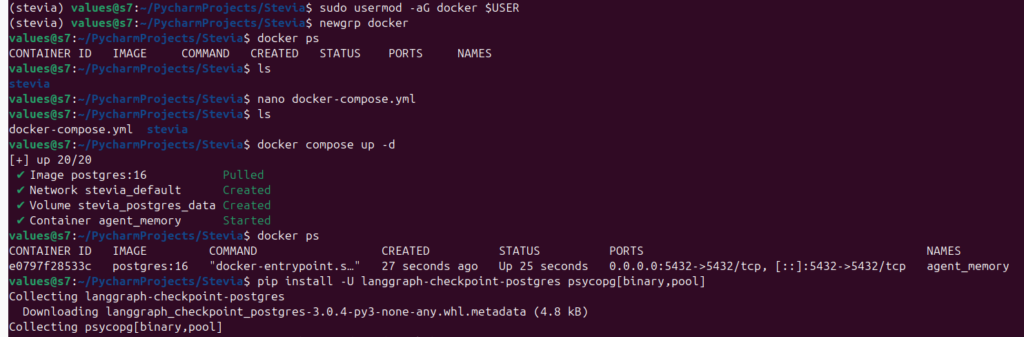
We fixed this by spinning up PostgreSQL in a Docker container. This acts as a “Checkpointer.”
Even if my laptop crashes, the AI can resume from the exact millisecond it left off.
The Docker Compose Magic goes something liek this:
yaml
services:
  postgres:
    image: postgres:16
    container_name: agent_memory
    environment:
      POSTGRES_PASSWORD: password # Don't use this in production!
    ports:
      - "5432:5432"
Step 3: The “Laboratory” (ngspice) 🔬
An AI engineer needs a soldering iron. In the software world, that’s ngspice. It also works with Qucs-s (my favorite new open source simulator!)
I installed it natively on Ubuntu 24.04. Now, the Python agent can “talk” to the terminal and run real-world simulations.
bash
sudo apt install -y ngspice
Current Status: Systems Nominal ✅
We checked the vitals:
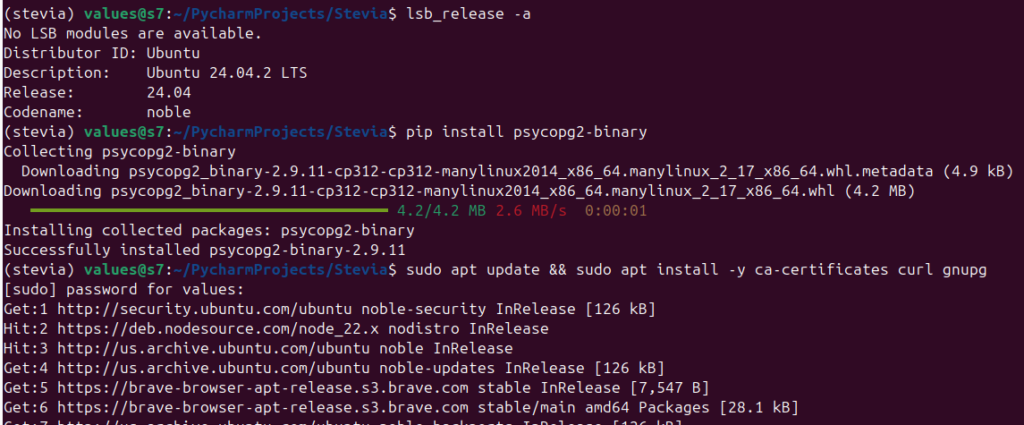
OS: Ubuntu 24.04 (Noble Numbat).
RAM: 8GB (Tight, but Docker is behaving).
Memory: Postgres is live and “Listening” on port 5432.
The engine is idling. The database is waiting. 🏎️
Lessons from the Trenches 💡
Ubuntu is King (Ditch Windows): Running Docker natively (no VM) saves massive amounts of RAM.
Docker Permissions: Don’t forget to add your user to the docker group, or you’ll be typing sudo until your fingers bleed.
Brevity is Key: Keep the Docker images light. We don’t need a whole OS inside a container just to run a simulation.
The AI Engineer Gets a Lab Coat: Memory & Simulations 🥼🔋
We’ve moved past the “talking” phase. My AI agent now has a persistent memory and a functional workbench.
If this were a movie, this is the montage where the robot finally stops crashing into walls and starts soldering components (or through them)…
Step 4: The Handshake (Persistence is Key) 🤝
I didn’t want a “Goldfish AI” that forgets everything the moment I close the terminal.
We used LangGraph Checkpoints to wire the agent directly into our PostgreSQL database. Now, every design iteration is saved as a “Thread.”
The Win: I can crash the script, reboot my laptop, and tell the AI: “Resume thread circuit_test_003,” and it picks up exactly where it left off.
python
# The magic "Save Game" button
with get_checkpointer() as checkpointer:
    app = workflow.compile(checkpointer=checkpointer)
    # Resume or Start Fresh? The DB knows.
Step 5: Hiring the Staff (The Hierarchical Team) 👥
Instead of one AI trying to do everything, I hire 3 brains for specialized roles:
The Project Manager (PM): The high-level strategist. It handles the budget and says, “We need a Joule Thief.”
The Designer (The Engineer): This is the specialist. It doesn’t chat; it writes SPICE netlists.
The Lab Tech (The Simulator): A “blind” node that takes the code, runs it through ngspice on my Ubuntu kernel, and reports the raw data back.
We ran our first end-to-end test. Grok-4-1-fast “successfully” generated a SPICE netlist for a 0.5V Joule Thief.
It even included the magnetic coupling (K1 L1 L2) and the .tran analysis command.
Pro-Tip: AI loves to wrap code in Markdown backticks (“`). My agent was “clogging” the simulator with those, so we added a Code Cleaner to strip the fluff before it hits the engine.
Lessons from the Trenches 💡
Context Managers are Picky: If you close your Database Pool too early, your AI “goes blind” mid-thought. Keep that with block open!
Ubuntu + Docker = Speed: The “Handshake” with Postgres is nearly instant because they’re sharing the same Linux kernel. No VM lag here.
Current Status: Simulation Live! ✅
Memory: Persistent (Postgres is hungry for data).
Brain: Connected (Grok is writing code).
Hardware: Simulation engine (ngspice) is now triggered directly by the AI.
Next, we’re going to teach the AI how to read its own failures. Because let’s be honest—the first circuit almost never works. 🛠️🚀
The “Angry Engineer” Loop (When AI Learns to Fix Itself) 🔄🛠️
The “It Compiles, But Does It Work?” Problem
So we got the AI to write a SPICE netlist. It was beautiful. It was clean. And… it didn’t work. The simulation ran, but the “LED” stayed dark. In the real world, an engineer would grumble, look at the scope, and swap a resistor.
I decided my AI shouldn’t be any different.
Step 7: The “Closed-Loop” Feedback (The Brain Upgrade) 🧠
I updated the Designer Node to be more than just a code generator. Now, it has “Eyes.”
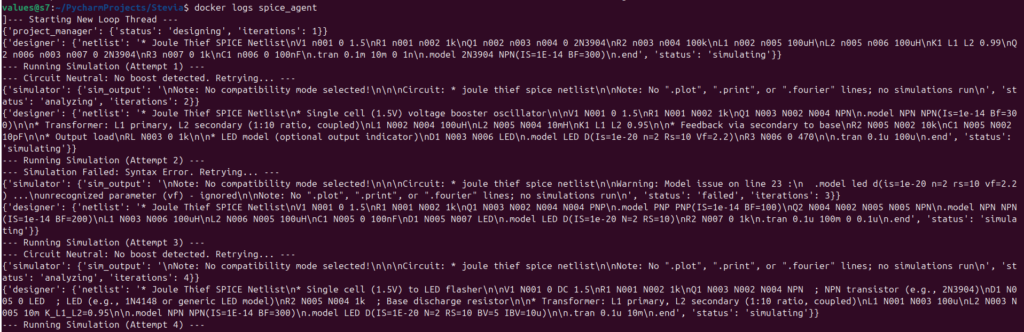
If the Simulator detects a failure—or worse, a “flatline” where the circuit doesn’t oscillate—it feeds the raw error log back into the AI’s prompt.
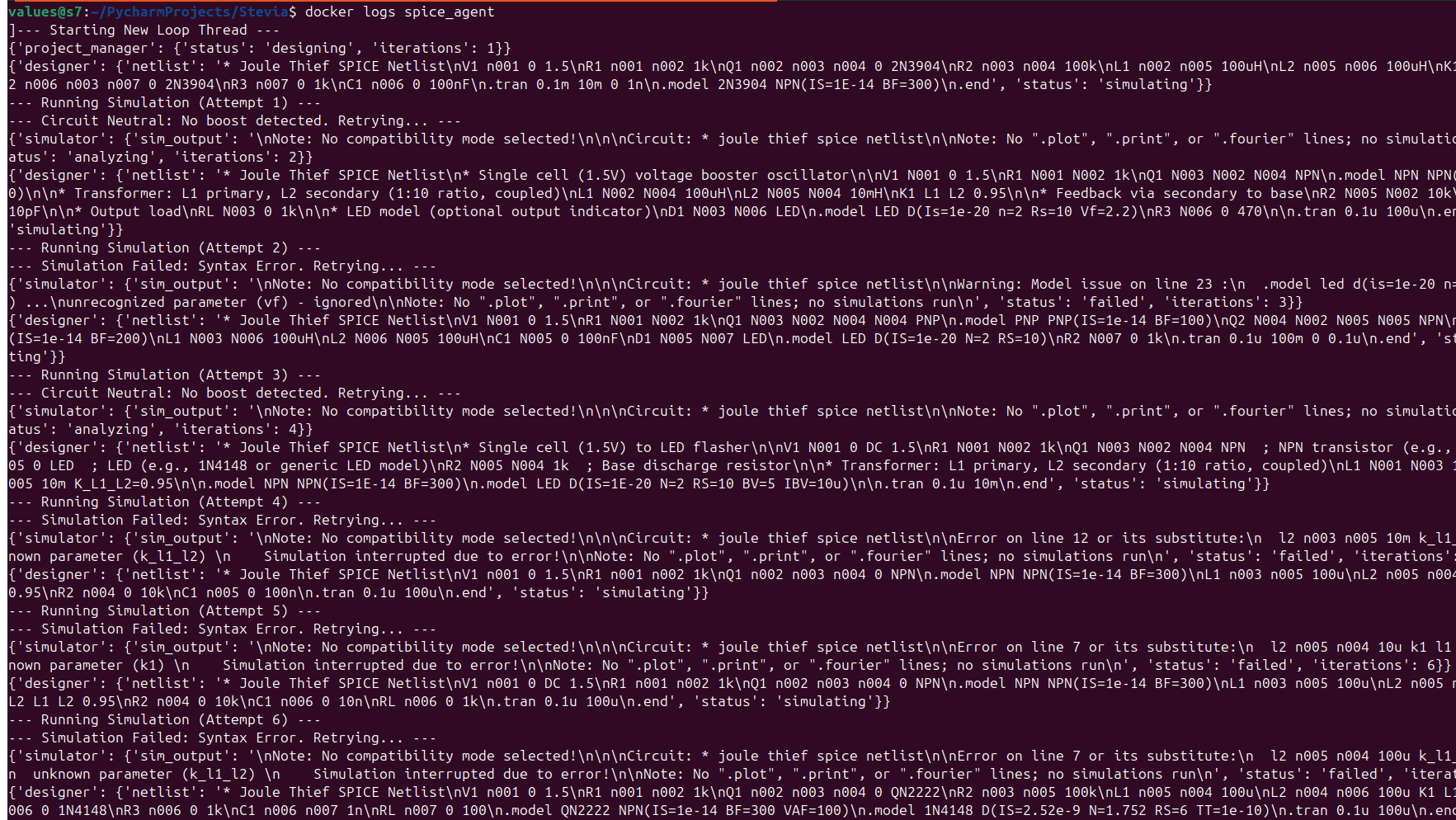
The result? The AI sees: Node Out: 8.34e-23V. It realizes: “Oh, the oscillator didn’t start.” It then tweaks the inductor coupling or the transistor bias and tries again.
Iterations iterating:
Step 8: The Safety Switch (Budget Protection) 💸
Giving an AI an infinite loop is a great way to wake up to a $500 API bill. We built a Router Node that acts as the “Adult in the Room.”
The Success Check: Did actually exceed (more on this later)?
The Iteration Counter: If it hasn’t solved it in 10 tries, it kills the process (and escalates it to me).
Step 9: Full Portability (The “Cloud-Ready” Docker Move) ☁️
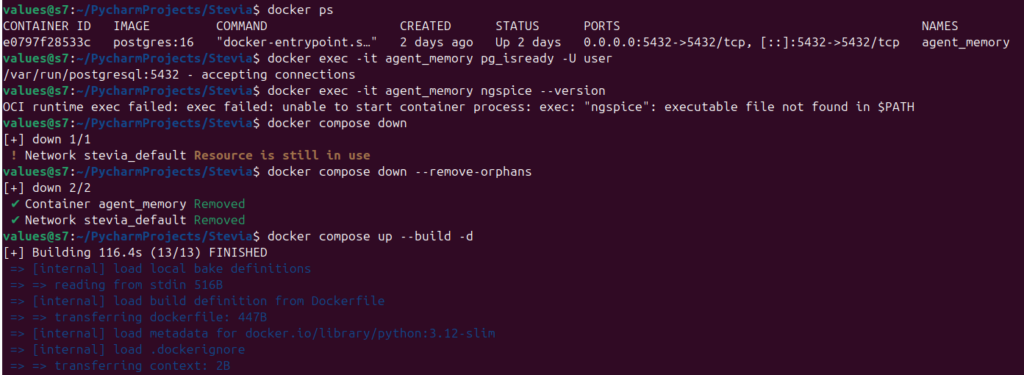
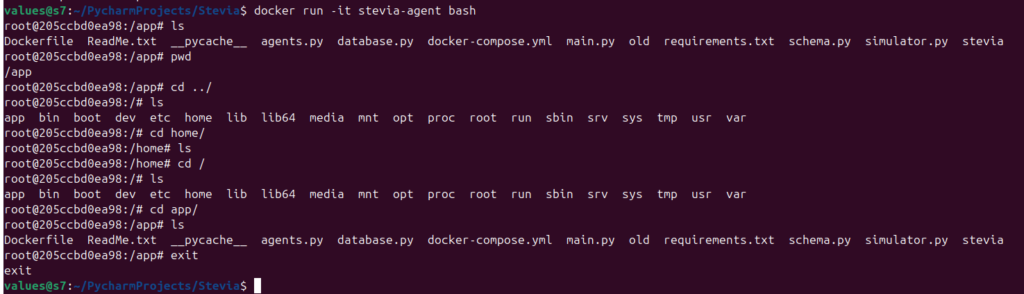
To finish the infrastructure, we moved the Agent itself into Docker. Instead of a “Hybrid” setup (Database in Docker, Python on the host), the whole “Lab” is now a single, portable unit.
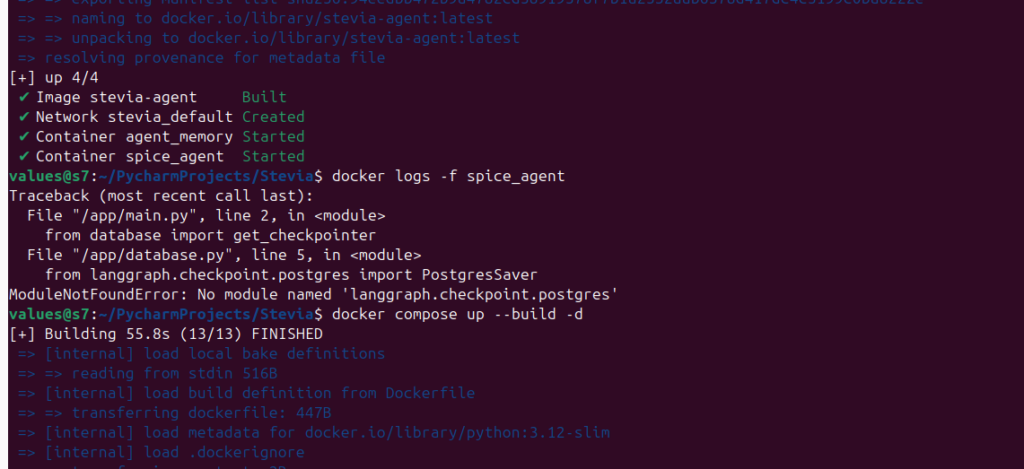
The “Master” Command: docker compose up --build
Now, the Python Agent, the ngspice engine, and the Postgres Memory all live in a synchronized dance. I can move this entire folder to a $10/month VPS, and it will start designing circuits exactly where it left off.
Lessons Learned: 💡
Logic is cheaper than LLMs: Using a simple Python function to check for “Error” in the text before calling the LLM saves massive amounts of tokens (more on this soon).
Networking in Docker: Containers don’t know what localhost is. You have to tell the Agent to talk to db:5432. Once they “shake hands,” the speed is incredible.
The “Lazy” AI: Sometimes the AI gets stuck in a loop and starts outputting the same broken code. Providing the previous failure in the prompt is the only way to “force” it to innovate.
Final Status: Fully Autonomous Circuit Agent ✅
Brain: Grok-4-1-fast (Iterative & Analytical).
Memory: Postgres (Persistent Threads).
Workbench: ngspice (Containerized & Automated).
Loop: Closed (The AI now learns from its own mistakes).
The infrastructure is solid. The “Stevia” agent is officially in the lab. Next stop? Optimization for real-world efficiency. ⚡️🚀
The Cliffhanger: Navigating the Ghost in the Machine 👻
Everything is running, but here’s the problem: when you have an AI agent looping inside a headless Docker container, it’s like watching a black box. I can see the logs, but I can’t easily see the why.
How do I know exactly where the Project Manager’s strategy went off the rails? How do I pause the AI mid-thought to fix a netlist before it wastes another simulation?
Next up: We’re going to pull back the curtain. I’ll show you how to hook up LangSmith and LangGraph Studio to turn these invisible terminal logs into a full, interactive “Mission Control” dashboard. We’re going to visualize the agent’s brain in real-time.
Full Exact Steps to Replicate:
Step 1: System Prep & ngspice Installation
First, we update the system and install ngspice, the “engine” our AI will use to simulate circuits.
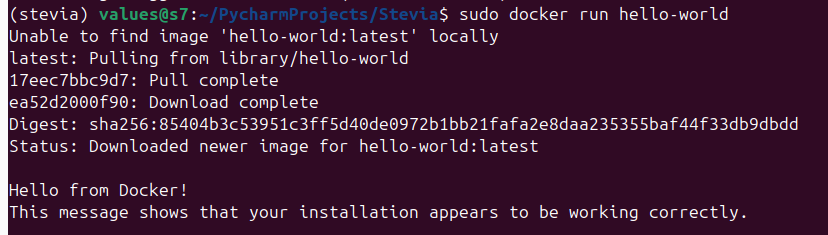
We need Docker to run our database and the agent environment. These commands install Docker and allow you to run it without typing sudo every time.
bash
# Install Docker
curl -fsSL https://get.docker.com -o get-docker.sh
sudo sh get-docker.sh

# Add your user to the docker group (Log out and back in after this!)
sudo usermod -aG docker $USER
Step 3: Project Structure & Virtual Environment
Create the project folder and a Python virtual environment to keep our dependencies clean.
bash
# Create project directory
mkdir ~/Stevia && cd ~/Stevia

# Setup virtual environment
python3 -m venv .venv
source .venv/bin/activate

# Install the "Big Three" libraries for LangGraph and Postgres
pip install -U langgraph langchain-openai "psycopg[binary,pool]" langgraph-checkpoint-postgres
Step 4: The Requirements File
This file tells Docker exactly which Python libraries to install inside the “mini-computer.”
Finally, set your API key and tell Docker to build and run the entire system.
bash
# Set your API Key (Replace with your actual key)
export XAI_API_KEY="your-xai-api-key-here"

# Build the images and start the containers in the background
docker compose up --build -d

# Live-stream the AI's "thought process" and simulations
docker logs -f spice_agent
Step 8: Managing the Lab
Use these commands to stop the agent or check the status of the “mini-computer.”
bash
# Stop the agent and the database
docker compose down

# Check if the database is still running
docker ps
If you have been paying attention to the explosion of AI tools lately, you already know it can feel overwhelming. Every week there seems to be a new AI chatbot or automation platform promising to revolutionize your business. For small and medium business owners, making decisions in this sea of options is daunting.
That is exactly why we started a project at VerseOne.ai, to build a meta study of AI chatbot reviews from across the web.
What a Meta Study Is and Why It Matters
Meta studies are common in fields like medicine, where researchers need to compare results across many different studies to understand what truly works. Instead of relying on one study or one opinion, they aggregate data from dozens or hundreds of sources, carefully weighing the quality and relevance of each.
This approach reduces bias, highlights patterns that might be invisible in isolation, and helps professionals make informed decisions. We are doing the same, but for AI chatbots and automation platforms.
Our goal is to help you understand which tools perform best in ways that actually matter to your business.
Bringing Meta Analysis to AI
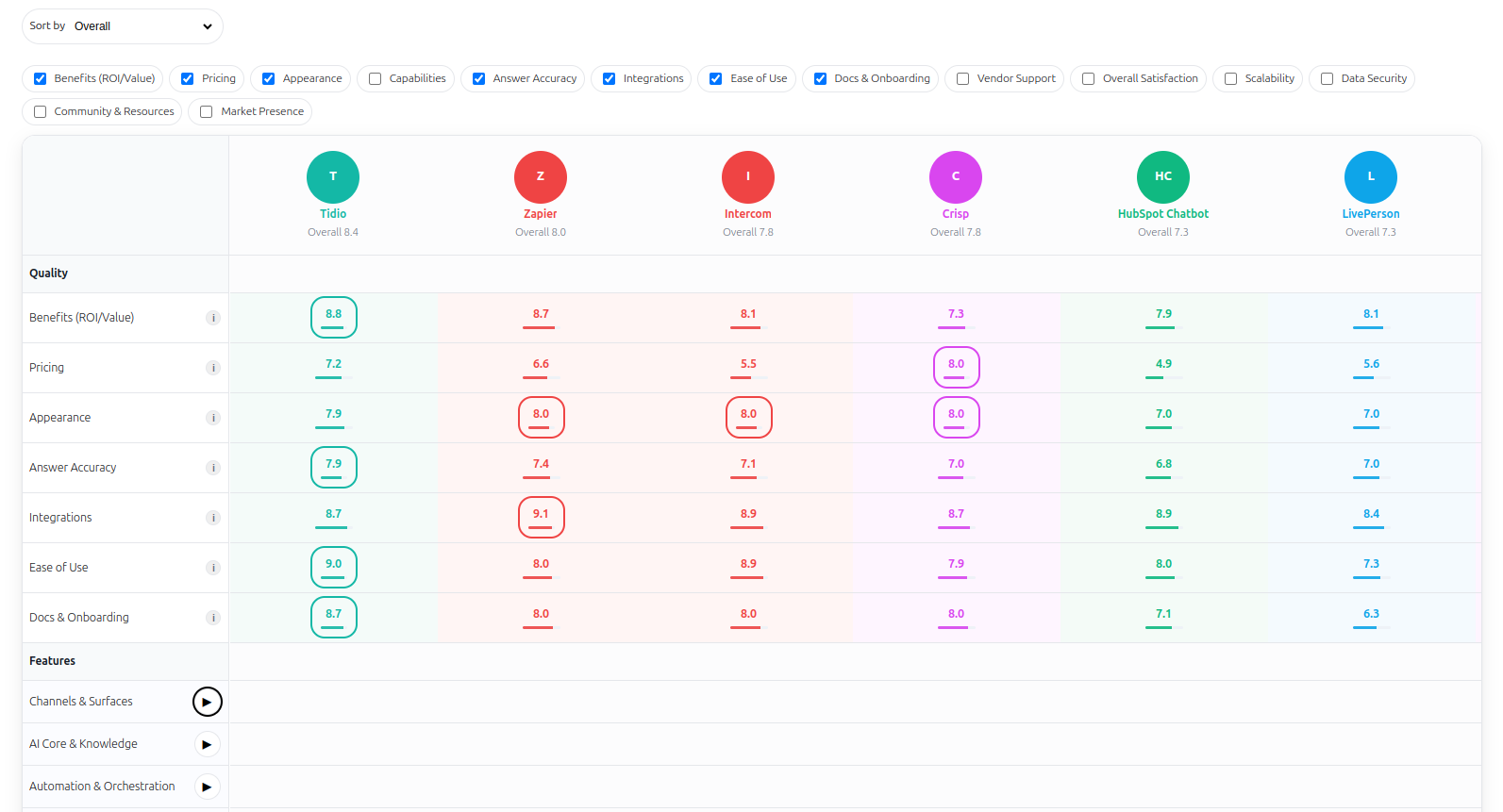
At VerseOne.ai, we are pushing the boundaries of AI automation and knowledge synthesis. By analyzing multiple independent reviews, user testimonials, and technical documents, we generate a consensus score for each AI chatbot across key dimensions like:
Accuracy
Ease of use
Integration
Pricing
Overall satisfaction
We also add a VerseOne Expert Score, combining human expertise with machine analysis. This ensures you are not only seeing raw data, but also learning from evaluators who have tested these systems in real-world business scenarios.
Why Small Businesses Should Care
The promise of AI is huge, but choosing the wrong platform can waste time, money, and momentum. Our open-source meta study helps you:
Compare vendors at a glance
Understand strengths and weaknesses
Make informed decisions grounded in data, not hype
Instead of sorting through marketing claims or scattered reviews, you get clarity and confidence. Our aim is to help you use AI to grow your business, not to get lost choosing between endless tools.
How the VerseOne System Works
Collect Evidence — We gather data from independent reviews, YouTube demonstrations, technical blogs, and user reports.
Score Each Claim — Every piece of evidence is rated for confidence, recency, and relevance.
Filter for Bias — We adjust for sponsored or promotional content to maintain integrity.
Merge and Weight — Ratings are merged into consensus scores using weights that reflect what matters most to SMBs (things like benefits, ease of use, and pricing).
Add Expert Context — We layer our own experience through the VerseOne Expert Score for real-world perspective.
The result: a transparent, reproducible, AI-driven meta analysis that updates as new information appears.
Scaling Knowledge with AI
The magic of this approach is scalability. Instead of manually reviewing dozens of chatbots, VerseOne can now automatically analyze, update, and summarize reviews as new evidence becomes available.
Everything is open-source, meaning:
Anyone can verify how we calculate our scores
Anyone can contribute new data
Everyone benefits from collective intelligence
This is not just a review aggregator, but an evolving, transparent research system built for the AI era.
An Intuitive Experience for Everyone
Think of it like a Farmers Market for AI chatbots. You can browse, compare, and “taste test” insights from many vendors in one place. Clear ratings, digestible summaries, and actionable insights help you quickly spot the AI chatbot that fits your business needs (whether that’s automation, customer engagement, or support integration).
More Than a Review Project
We are not building another “top 10” website. We are building an AI knowledge engine, but a living system that continuously learns from new data.
This project is also a playground for experimentation. We are exploring how AI can automate research, analysis, and synthesis, turning raw information into structured understanding.
And we’re making it open source, so developers, business owners, and researchers can extend it, audit it, and build on it.
Transparency by Design
Every score, every weighting, and every data source in VerseOne is traceable. You can see exactly where each piece of evidence came from and how it influenced the results.
We believe that AI evaluation should be transparent, scientific, and fair, not hidden behind affiliate links or vague “AI rankings.” By modeling our system on academic meta-analysis, we’re bringing rigor and clarity to a space often flooded with marketing hype.
Looking Ahead
This meta study is just the beginning. Once we open source the project, anyone will be able to:
Add new vendors or metrics
Contribute evidence from new reviews
Benchmark their own AI tools
Improve the collective model
We envision a living ecosystem that grows alongside the AI industry itself, thus helping small businesses, developers, and educators alike.
Empowering the SMB AI Revolution
At VerseOne.ai, we believe AI should empower people, not overwhelm them. By simplifying complex data into clear, comparable insights, we help entrepreneurs make smarter choices, faster!
Whether you’re a small business owner exploring AI chatbots, or an AI enthusiast tracking vendor performance, our meta study gives you a trusted guide through the noise.
A New Era of Open-Source AI Research
We’re excited to share this journey with the world. This project represents a new model for AI research: transparent, data-driven, and community-powered.
By combining the scientific method of meta-analysis with the automation capabilities of modern AI, we’re turning overwhelming information into actionable knowledge.
Join us as we explore, learn, and share.
Keywords: AI chatbot comparison, AI meta study, AI for small business, open-source AI research, VerseOne.ai, AI automation insights, AI tool evaluation.
AI chatbots (also known as AI chat agents, or AI customer support agents) are no longer just for big tech companies. In 2025, small businesses are discovering that the right chatbot can act like a 24/7 assistant, answering customer questions, booking appointments, and capturing sales leads while you focus on meaningful work. The challenge is sorting signal from noise among all the different offerings, and trust me, there is a LOT to discover!
At VerseOne.ai, we guide small businesses through choosing AI chatbot in plain language, and set up tools that save time without adding complexity. You stay in control of what your AI chat bot knows and does.
Use the ten questions below as your decision checklist when choosing an AI chatbot to represent you business. These reflect the criteria we use when comparing third party chat platforms for small business buyers.
The right chatbot can act like a 24 by 7 assistant that answers questions, captures leads, and books appointments while you are busy serving customers. The wrong one will offer features you never wanted, creates confusion for your customer, creates extra work for you, and has unexpected costs. These ten questions keep the decision simple and focused on practical outcomes.
1) Will this chatbot actually save time or make money (Benefits and ROI)
A useful chatbot either frees up hours or increases revenue. For many businesses, that looks like instant answers for common questions, automatic lead capture after hours, and fewer phone interruptions.
What to look for: evidence of call deflection, faster response times, lead form completions
Quick test: set a simple FAQ and measure hours saved in 30 days
Bottom line: if it cannot pay for itself quickly, keep looking.
2) Is the pricing fair and transparent (Pricing)
Pricing should let you start small without surprise overages. Beware of conversation caps, add on fees for basic integrations, or tier jumps that force you to upgrade to unlock essentials.
What to look for: an actually usable entry plan, clear limits, fair scaling
Quick test: model your last 30 days of traffic against the vendor limits
Bottom line: start at a sensible price and scale without penalties.
3) Will it look professional on my website (Appearance)
Your chatbot is a front door to your brand. It should match your colors, logo, and tone, and feel smooth on mobile. If it looks generic or clunky, trust drops.
What to look for: theme matching, custom branding, mobile polish
Quick test: place it on a staging page and check it on three phone sizes
Bottom line: a polished, on brand bot earns more engagement.
4) Does it have the features my business actually needs (Capabilities)
Pick the capabilities you will truly use. Many small businesses need strong FAQ, lead capture, and booking. Others need product search, payments, or messaging beyond the website.
What to look for: the few features that match your funnel today
Quick test: can you launch a useful flow in under an hour
Bottom line: avoid bells and whistles you will not use; insist on what matters.
5) Can I trust its answers (Accuracy)
Accuracy builds confidence. Prefer platforms that ground responses in approved sources, show citations or references, and limit guessing on off topic questions.
What to look for: knowledge base grounding, guardrails, response auditing
Quick test: give it twenty real customer questions and score correctness
Bottom line: correct, grounded answers are non negotiable.
6) Will it play nice with my existing tools (Integration)
Integrations save manual work. You should connect CRM, calendar, help desk, website, and ecommerce without glue code whenever possible.
What to look for: native connectors, Zapier or Make, webhooks and API
Quick test: integrate one system and ship a working flow the same day
Bottom line: if it does not integrate, it will create more work, not less.
7) Can I set it up without a tech team (Ease of use)
You want quick wins. Look for copy and paste install, templates, drag and drop flows, and a simple dashboard for edits.
What to look for: first useful bot in under an hour for FAQ or lead capture
Quick test: ask a non technical teammate to do the setup
Bottom line: if you need a manual for every change, it is not SMB friendly.
8) What kind of help will I get if I am stuck (Support)
Great tools still need great support. Documentation, tutorials, and real human help prevent downtime and frustration.
What to look for: searchable docs, video guides, responsive human channels
Quick test: ask a pre sales question and time the response
Bottom line: good support protects your customer experience.
9) What do other business owners say (Overall satisfaction and customer support satisfaction)
Look beyond star ratings. Read patterns in real reviews and case studies from businesses like yours.
What to look for: repeated praise for accuracy, setup speed, and results
Quick test: read three detailed reviews and list recurring themes
Bottom line: consistent wins in the field beat any feature list.
10) Will this grow with my business (Scalability and data security)
Choose a path that lasts. Your platform should handle more volume, more channels, and more teammates, while protecting customer data and honoring compliance.
What to look for: scale headroom, role controls, clear data practices
Quick test: ask how it handles traffic spikes and user permissions
Bottom line: future proof your choice so you do not migrate in a year.
How VerseOne.ai helps you move from idea to impact
We listen to your goals, design a simple plan, and build the first useful version fast. Then we maintain it with you as you grow. Our approach is plain language guidance, simple and scalable starts, and hands on support so you always know what your AI is doing and why.
A simple three step path
Listen: your goals, customers, and must have outcomes
Plan: a clear roadmap with milestones and owners
Build and support: launch fast, document well, improve over time
Ready for clarity, not complexity. Book a free consultation
We will map your goals to the right chatbot, connect it to the tools you already use, and help you launch something useful quickly. No jargon. No pressure. Just a clear plan that fits your budget and timeline.