
Part 1: The Operating System
If your laptop feels like it’s wading through waist-high mud every time you open a browser, you aren’t alone. Most people assume a slow computer means it is time for the graveyard.
In practice, the hardware is perhaps a outdated, but often fine overall. It’s the software that has become heavy, bloated, and a bit too interested in what you’re doing for its own sake (to data mine you for ads, or worse).
If you want to breathe actual life back into a machine to make it feel alive again, the most impactful move is changing the ground it walks on.
The Ubuntu (or Lubuntu) Pivot
Switching from Windows to a Linux-based system like Ubuntu is the closest thing to a “reset” button for your digital life.
It is free, modern, and the literal backbone of the internet. If you’ve used a web browser in the last decade, you’ve interacted with Linux systems (without even knowing it).
The Pros:
- It’s free!
- It is incredibly secure and doesn’t spend resources spying on you with background AI or telemetry.
- It looks stylish and feels snappy, even on older chips.
- For older machines or those with limited RAM (like my 13 year-old: Acer Aspire S7, love it!!), Lubuntu is the “light” version that strips away the flash to give you pure performance.
The Cons:
- Some Windows-specific programs won’t work natively (but there are alternatives just about for every functionality, like Libre Office, more on that later).
- You might need a tool called Wine to bridge the gap for certain apps.
- It is generally not the first choice for hardcore gamers, but for a workhorse machine? It is gold.
The ChromeOS Flex Alternative
If the idea of Linux feels a bit too technical, there is ChromeOS Flex.
This turns your laptop into a glorified Chromebook. It is essentially just a fast, secure browser. If 90% of your work happens in Google Docs, Canva, or a CRM, this makes an old laptop feel brand new in about ten minutes. (I’m a linux guy, so take it as the last option.)
Why This Matters for Your Workflow
Most businesses struggle because their tools are fragmented and their hardware is lagging. And on top of that, annual software subscriptions (like for Windows and Office) are probably eating into your earnings.
So it’s best to focus on building systems that actually connect. Sometimes, that starts with making sure the physical tool in your hands isn’t the bottleneck, or perhaps finding much better free alternatives. Stick with me, I will show you more ways to squeeze more performance for your home or work machine, and reclaim more of your time!
Resurrecting Your Laptop: Part 2, The RAM “Magic Trick” and Browser Bloat 🚀
If you’re working on an older machine, you’ve likely hit the “8GB Wall.” I know I did, and was about to spend a few thousand dollars on a new performance computer to run my engineering software.
8GB is not a lot: you open a few heavy tabs, a spreadsheet, and maybe a video call, and suddenly everything freezes. If you own something like an Acer Aspire S7 (i know, i know), you can’t even buy more RAM because it is soldered directly onto the board. 😵💫
In practice, you don’t actually need to buy more hardware to get more breathing room.
Therefore: The SWAP Space Strategy
Even if your physical RAM is capped at 8GB, you can use a technique called SWAP to effectively double it.
SWAP is a dedicated space on your hard drive that the computer uses as “emergency” memory. When your 8GB of fast RAM gets full, the system offloads the long-term, background tasks into the SWAP partition.
Why this works:
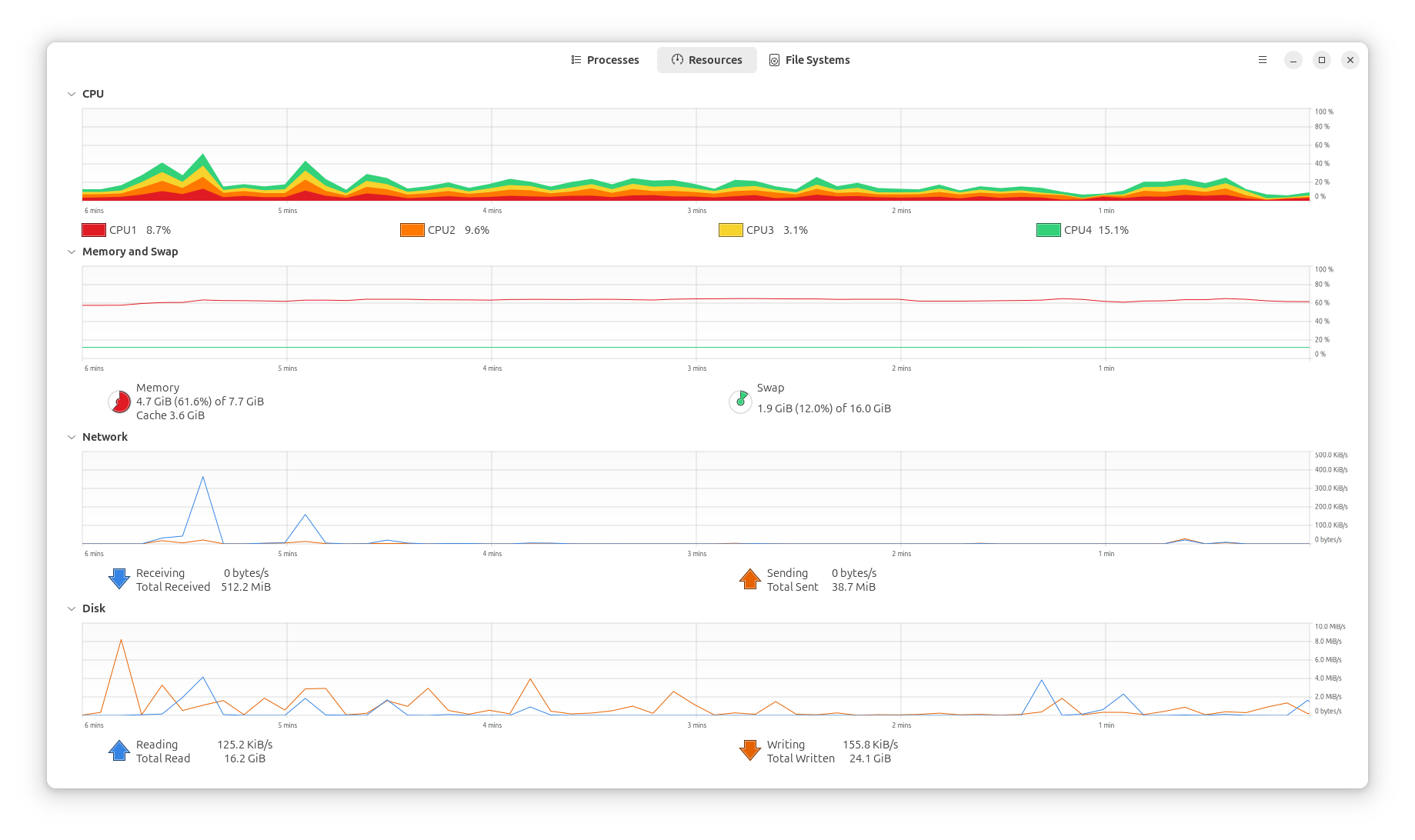
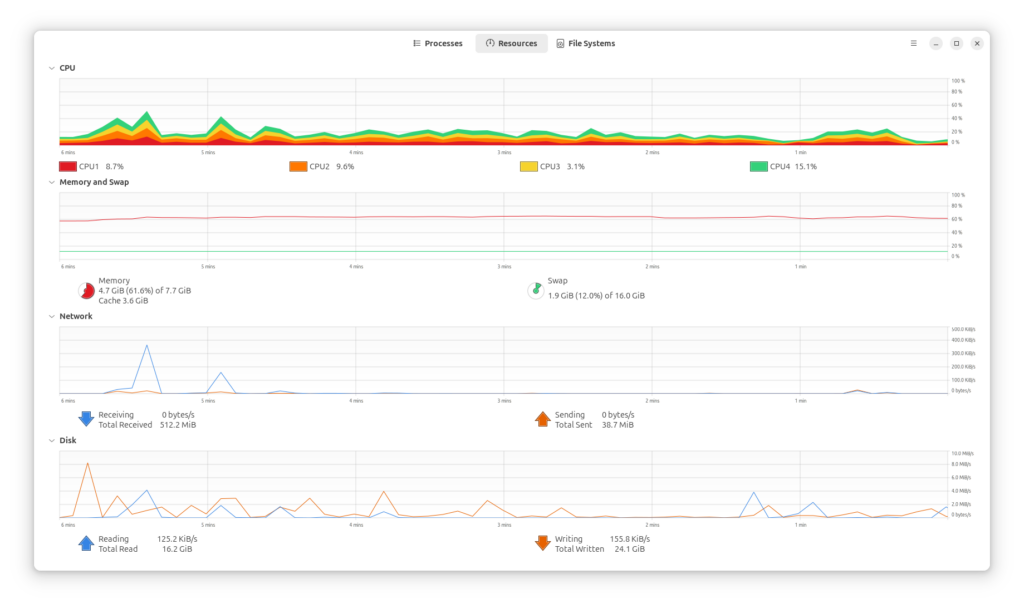
- It prevents the “Out of Memory” crashes that restart your laptop. (This happened to me so many times, watching the red memory inching towards the top of the graph, where the system would inevitably freeze 😵)
- Modern SSDs are fast enough that you almost don’t notice the hand-off.
- It gives you 16GB of functional space for the price of… nothing!!
Managing the Browser Monster
Most of our work happens in the browser, and the browser is usually what’s eating your resources.
If you use Brave, you have a massive advantage: Suspended Tabs. This feature puts tabs you aren’t looking at “to sleep,” freeing up tons of CPU and memory. AMAZING!
Pro Tip: Fine-tuning Memory Saver
You can actually customize exactly how aggressive this is.
- Type
brave://settings/systeminto your address bar. - Look for Memory Saver.
- You can toggle it to Aggressive to kill background tasks sooner, or add specific “Always Active” sites (like your CRM or Gmail) so they never go to sleep.
Lightening the Load with LibreOffice. This is big!
If you are still using heavy, bloated office suites that take 30 seconds just to open a document, consider LibreOffice.
It is free, open-source, amazing, and lacks the background “telemetry” and update-checkers that slow down mainstream software. It’s snappy, handles Word and Excel files perfectly, and respects your hardware’s limits. 💯
Systems Over Brute Force
I see this a lot: people trying to solve a workflow problem by throwing more expensive hardware at it.
Usually, the bottleneck isn’t the machine, it’s the way the machine is configured. A well-tuned 8GB laptop will often outperform a “powerful” machine that is bogged down by unmanaged tools.
It is about making the system work for you, not the other way around.
Resurrecting Your Laptop: Part 3, The Physical “Surgery” 🛠️
Sometimes, the bottleneck isn’t the software at all. It’s the physical reality of a machine that’s been living in the real world for a few years.
If your laptop fans sound like a jet engine taking off, or if the bottom of the case feels hot enough to fry an egg, your hardware is likely “throttling.”
In practice, your computer is intentionally slowing itself down so it doesn’t melt. Here is how to fix it without being a certified technician.
The Magic of an SSD Upgrade
If your laptop still uses a traditional mechanical hard drive (the kind that spins), swapping it for a Solid State Drive (SSD) is the single most impactful thing you can do. Do it! Or I will.
It is the difference between waiting three minutes for a boot-up and waiting eight seconds.
Why this works:
- Mechanical drives have moving parts that wear out and slow down over time.
- SSDs use flash memory, which is nearly instantaneous.
- You can often find a 500GB or 1TB SSD for under $50, making it the highest ROI hardware upgrade available.
The “Simple” Dusting
It sounds almost too basic to be a “tech tip,” but dusting your laptop is transformative. Just do it outside 😶🌫️
Laptops pull in air to stay cool. Over time, that air brings in dust, pet hair, and lint, which creates a “blanket” over your internal components.
How to do it right:
- Use a can of compressed air. Again, do it outside, these have nasty chemicals.
- Aim for the exhaust vents and the intake fans.
- For the brave: pop off the back cover or battery cover or memory cover (if your model allows), which lets you give it a deeper clean.
Thermal Paste: The Final Boss
If you’ve cleaned the dust and it’s still running hot, the “thermal paste” (the goop that transfers heat from your processor to the cooling fan) might have dried out.
Replacing this with a fresh, pea-sized drop of high-quality paste can drop your temperatures by 10–15 degrees Celsius. It’s a 15-minute job that can restore 100% of your CPU’s original speed.
Hardware Health is Business Health
So, we need to look at technical debt the same way we look at physical hardware.
If your “engine” is clogged (whether it’s a messy database or a dusty laptop fan) the system can’t perform. What actually matters is ensuring the foundation is clear so you can focus on the work that moves the needle.
Resurrecting Your Laptop: Part 4, The Clean Sweep & Creative Second Lives ♻️
In this final stage, we look at what to do if you’re staying on Windows, or if the laptop is simply ready to graduate from being a “daily driver” to a specialized tool.
Even a machine that feels “old” for modern web browsing can be an absolute powerhouse when given a singular, dedicated purpose.
Stripping the Windows Bloat
If you aren’t ready to jump to Linux yet (consider it tho), you need to strip Windows down to its bare essentials. Out of the box, Windows is packed with background “telemetry” (fancy talk for spying) and services you’ll never use. You can have half of your RAM memory eaten up, just when Windows powers on.
The Power User Tools:
- O&O ShutUp10++: This is a free, “portable” tool (meaning you don’t even have to install it) that lets you toggle off the hidden background processes that eat your CPU cycles.
- BleachBit: Think of this as the industrial-strength version of a standard cleaner. It finds and deletes deep-seated system junk that normally clogs up your drive and slows down file indexing.
Giving It a Second Life
If the hardware is truly too tired for the modern web, stop asking it to do everything and give it one specific job.
Some Practical “Retirement” Roles:
- The Dedicated Security Hub: Plug in a few cheap webcams and use software like Agent DVR to turn the laptop into a 24/7 home security monitor.
- The Private Cloud: Why pay for Dropbox? Use a tool like Tonido or Nextcloud to turn that old laptop into a private server where you can access your files from anywhere in the world.
- The Media Station: Hook it up to your TV, install Plex, and let it serve as a dedicated movie and music hub for your entire house.
What This Means for Your Business
Most people look at a slow computer and see a liability. In reality, it’s an underutilized asset.
We should approach business systems with this exact mindset. You don’t always need to buy the newest, most expensive AI agent or automation tool. Often, the most powerful move is simply optimizing the resources you already have and making sure they are working in harmony. Incremental change is good.
So Let’s Build Your System
If you’re tired of fighting with fragmented tools or hardware that can’t keep up with your vision, that is where I come in.
From technical consultations to building custom AI workflows that actually make sense for your business, I’ll help you clear the “dust” out of your operations.
Reach out for a consultation, and let’s get your systems running at full speed.
So I am curious, what have you tried that helped?
🤙
Leave a Reply